
LeadGenor — The Complete Outreach System for Guest Posting Freelancers
Stop managing outreach in messy spreadsheets. Manage vendors, clients, emails, and cold outreach campaigns in one powerful platform.
LeadGenor is built for guest posting freelancers and outreach specialists who want to organize their data, find emails faster, and automate cold email outreach.
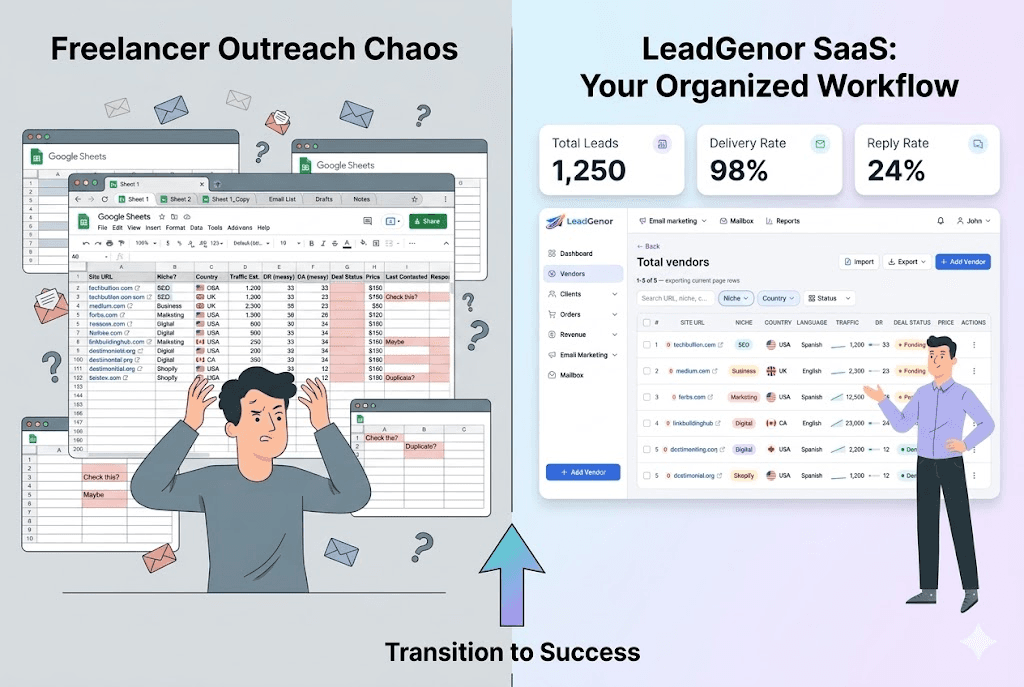
Guest Posting Freelancers Are Stuck in Spreadsheets
Most outreach freelancers manage their data in Google Sheets.
But spreadsheets create serious limitations:
- Difficult to manage large datasets
- No advanced filtering system
- No duplicate URL alerts
- No automated email finding
- No outreach automation
- Data quickly becomes messy and hard to manage
When you are working with hundreds or thousands of websites, managing everything manually becomes exhausting.
LeadGenor replaces spreadsheets with a powerful outreach management system.
Everything You Need to Manage Outreach in One Platform
LeadGenor replaces spreadsheets and disconnected tools.
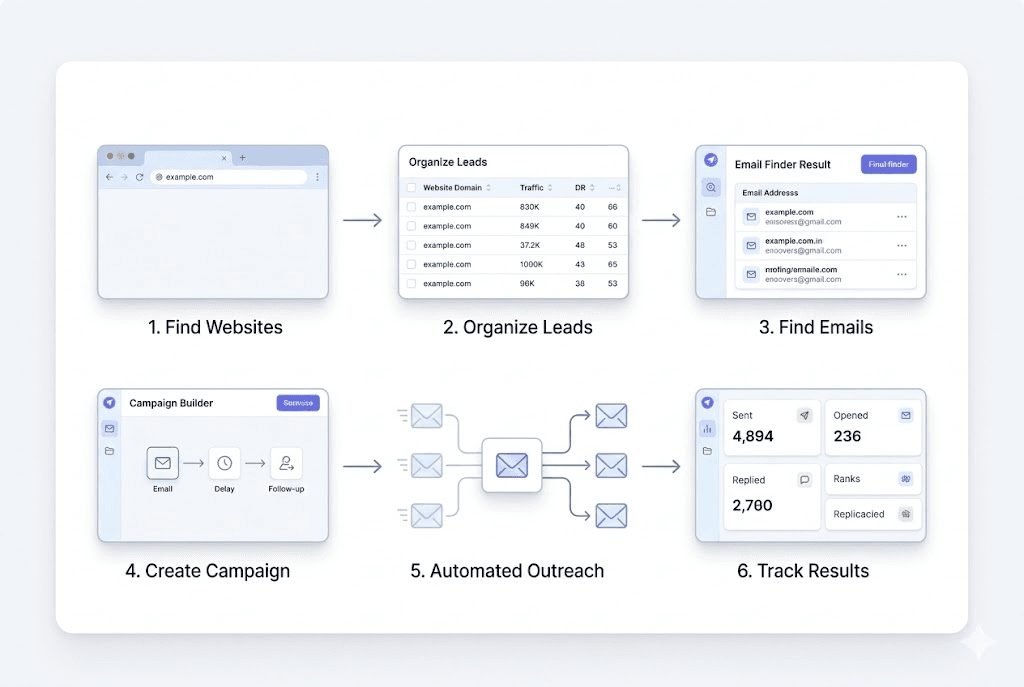
With LeadGenor you can:
- Organize vendor and client databases
- Find contact emails instantly
- Import and manage outreach lists
- Send personalized cold emails
- Build automated campaign sequences
- Track outreach performance and replies
All inside a single dashboard designed for outreach professionals.
Manage Vendors, Clients and Websites Without Spreadsheets
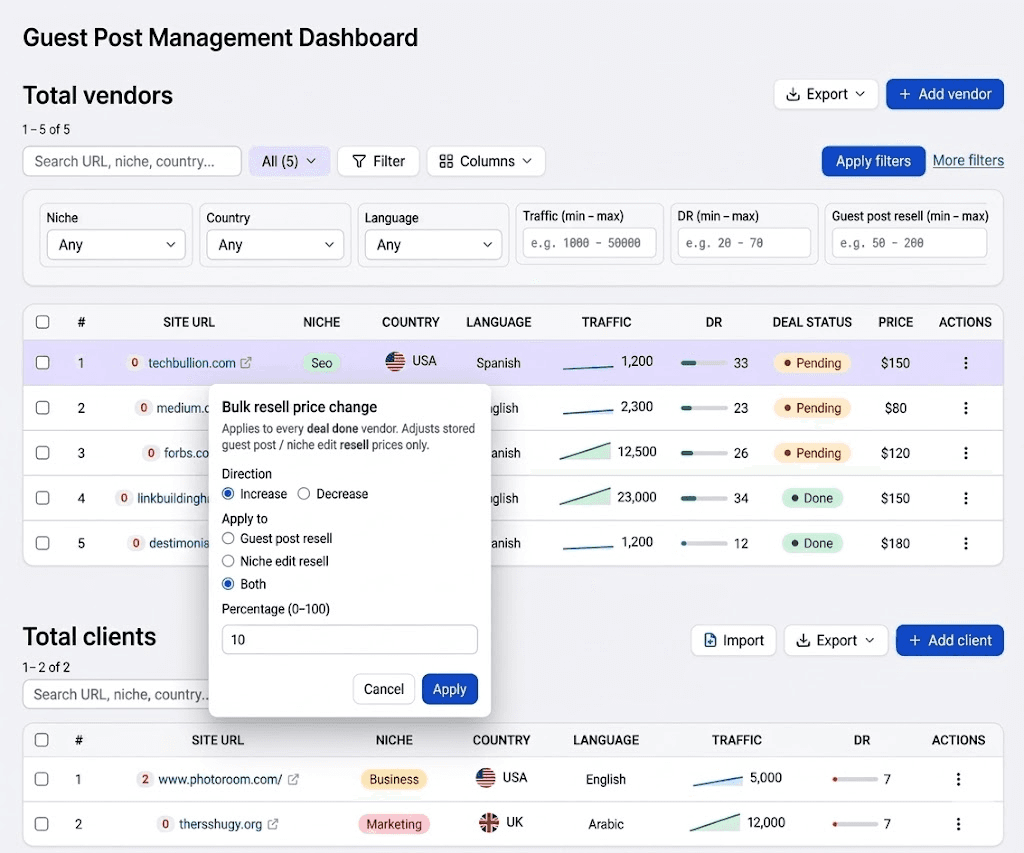
LeadGenor allows freelancers to organize their entire outreach database.
You can store and manage:
- Vendor websites
- Client websites
- Domain metrics
- Pricing details
- Deal status
- Contact information
Powerful filtering allows you to instantly find the exact websites you need.
Additional capabilities include:
- Bulk price increase or decrease
- Advanced filtering based on metrics
- Duplicate URL detection
- Organized outreach database
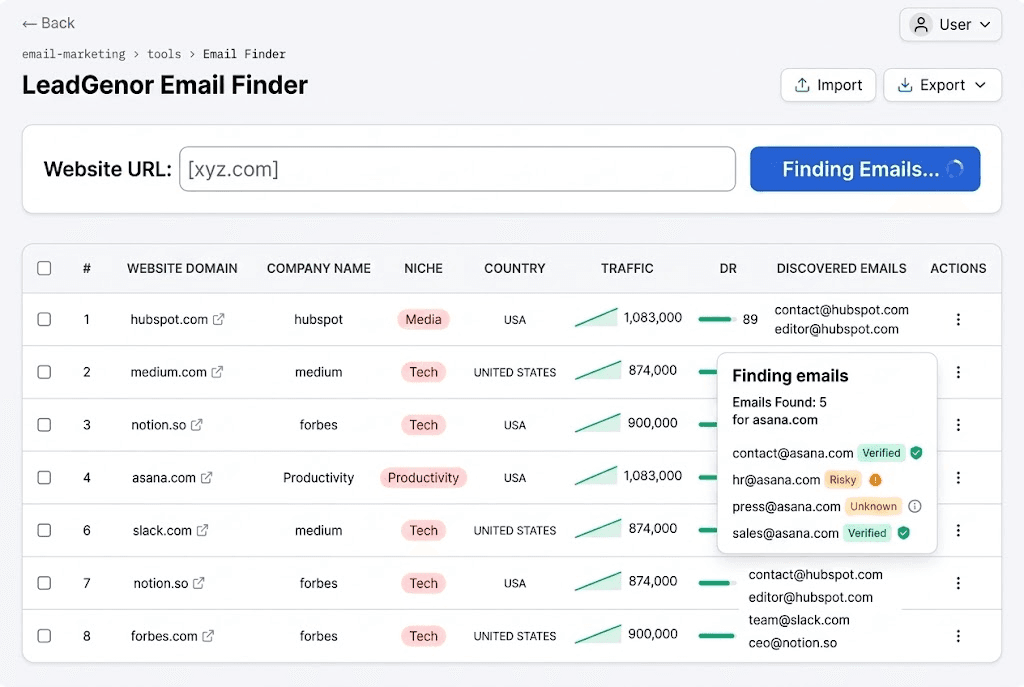
Find Website Emails in Seconds
Finding contact emails manually can take hours.
LeadGenor automatically scans website pages and extracts available email addresses.
Simply click Find Email and the system retrieves emails instantly.
You can also find emails in bulk for hundreds of websites at once.
Perfect for:
- Guest posting outreach
- Blogger outreach
- Link building
- Partnerships
Import and Organize Outreach Lists Easily
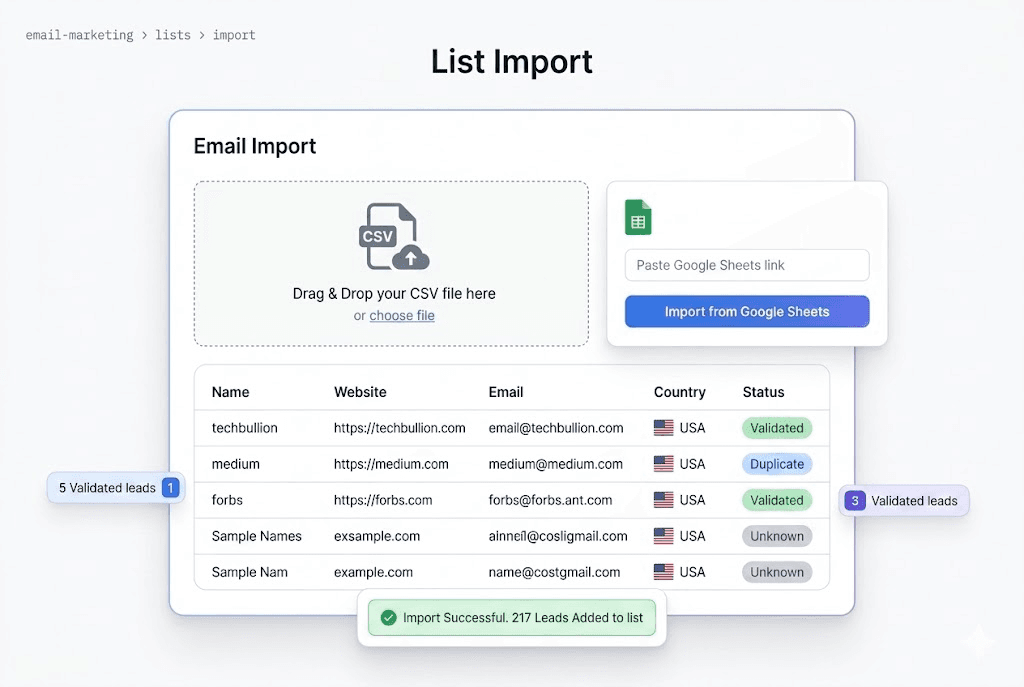
LeadGenor allows you to import and organize outreach lists in seconds.
You can import lists using:
- CSV files
- Google Sheets links
- Existing LeadGenor database entries
If some websites do not have emails, you can use the bulk email finder to discover them automatically.
This allows you to prepare large outreach lists quickly and efficiently.
Create Highly Personalized Outreach Emails
Generic outreach emails rarely work.
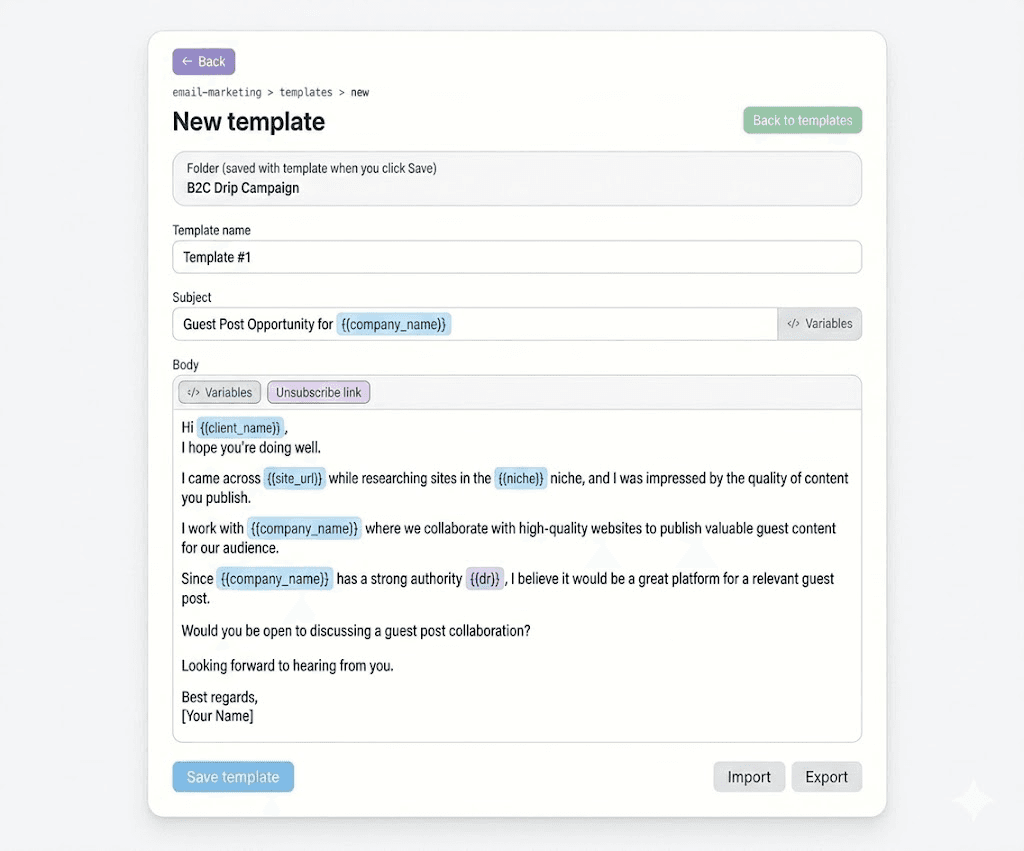
LeadGenor allows you to personalize emails using dynamic variables.
You can insert variables such as:
- Company Name
- Website Name
- Domain Metrics (DR, DA, AS)
- Traffic
- Country
- Client Name
- Vendor Name
Example:
Subject: Collaboration Opportunity for {Company Name}
LeadGenor automatically replaces variables for every prospect, creating personalized emails at scale.
Build Advanced Outreach Campaign Flows
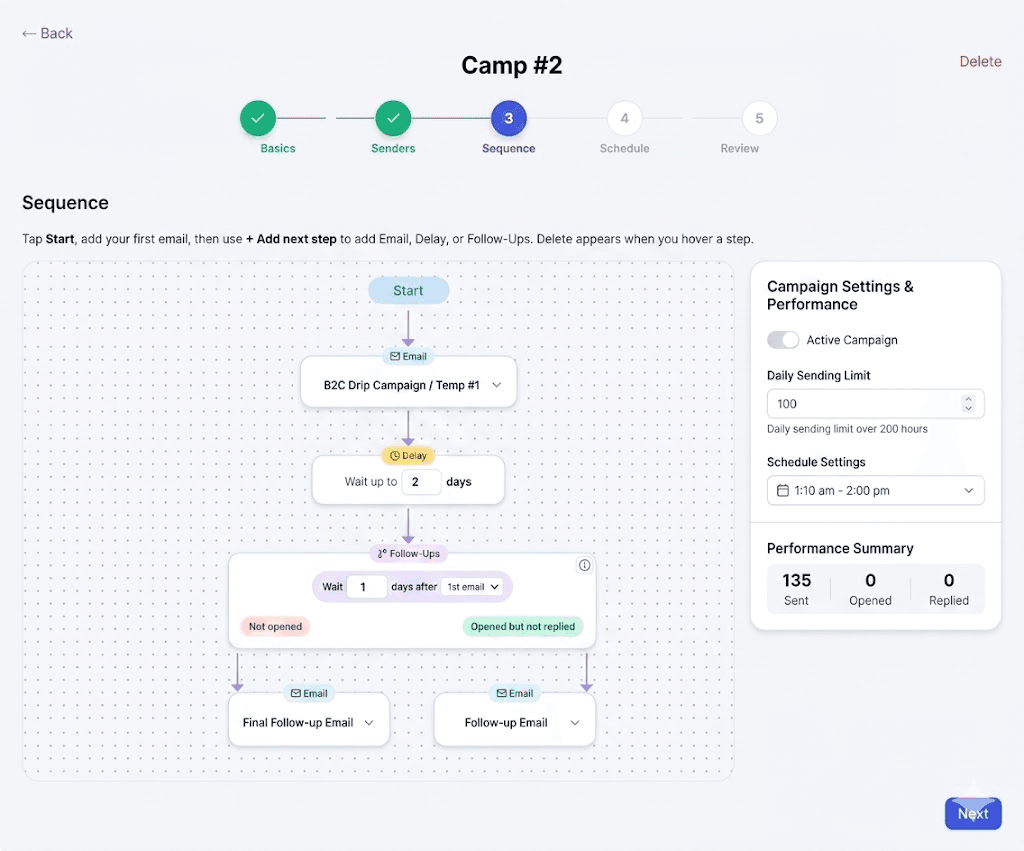
LeadGenor includes a visual campaign builder that allows you to create automated outreach sequences.
You can design flows using:
- Email steps
- Delay steps
- Follow-up sequences
Follow-ups can be triggered based on prospect behavior such as:
- Email opened but not replied
- Email delivered but not opened
Each path can have its own follow-up sequence to improve response rates.
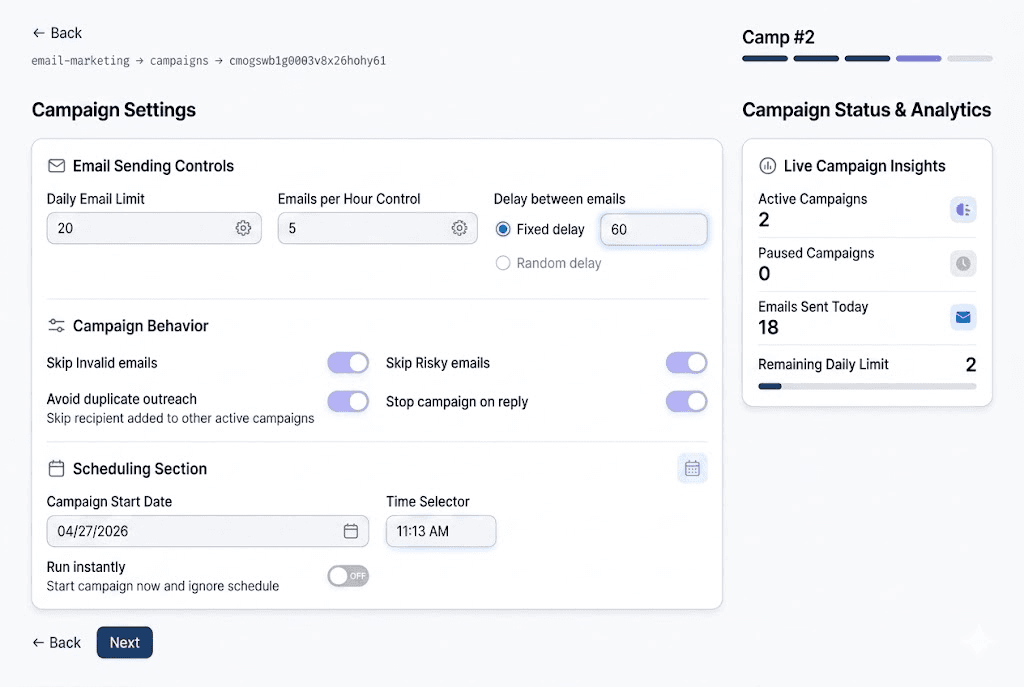
Full Control Over Email Sending
LeadGenor gives you full control over your outreach campaigns.
You can configure:
- Daily sending limits
- Delay between emails
- Campaign schedules
- Avoid sending to risky or invalid emails
- Prevent duplicate outreach
You can pause, resume, or schedule campaigns whenever you want.
Track Replies and Outreach Performance
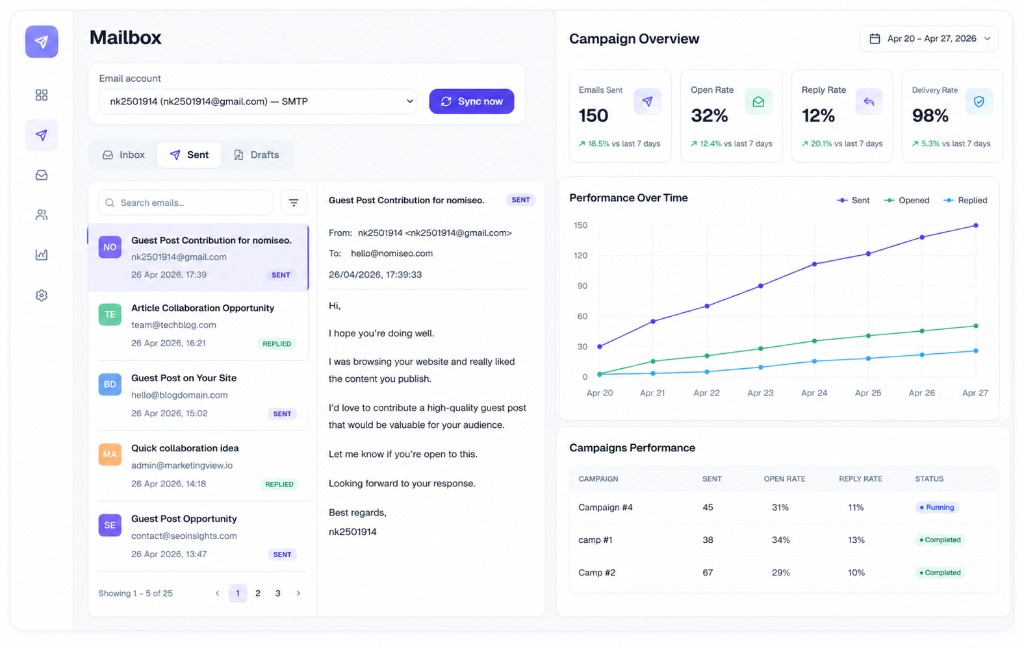
LeadGenor allows you to monitor the performance of your outreach campaigns.
Track important metrics such as:
- Emails sent
- Emails opened
- Replies received
- Pending emails
You can also sync your email accounts and read replies directly from the LeadGenor mailbox.
Monitor Your Outreach Performance in Real Time
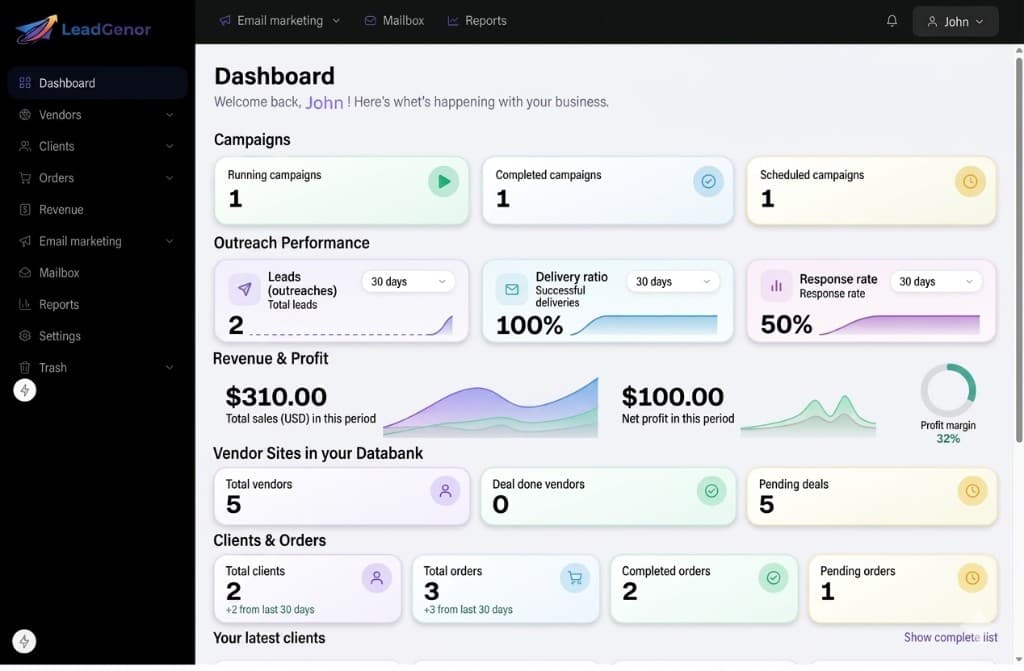
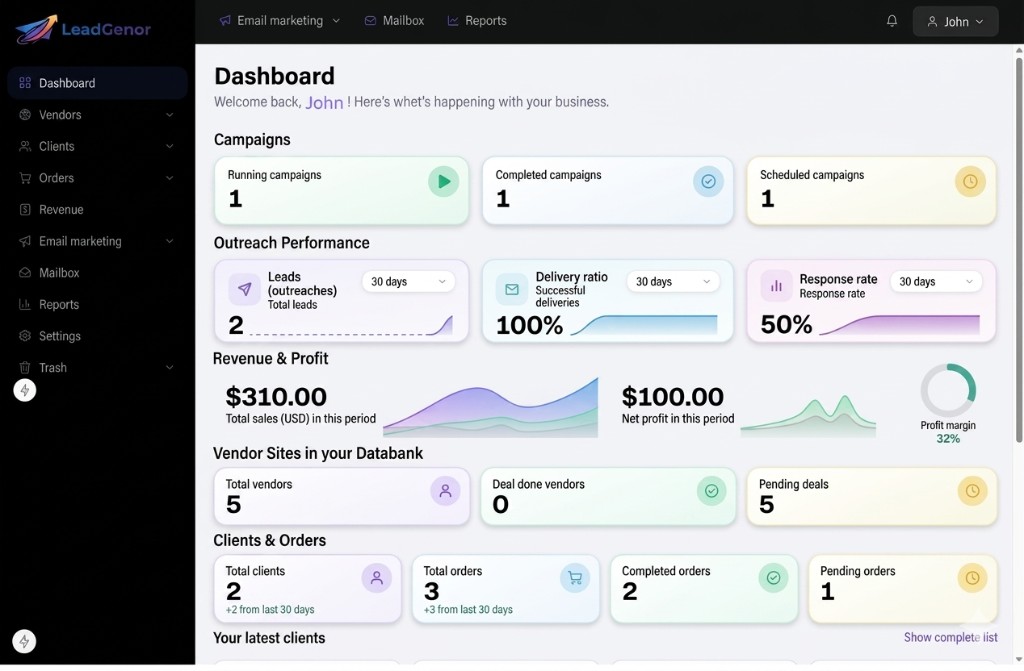
The LeadGenor dashboard provides real-time insights into your outreach activity.
Track statistics such as:
- Running campaigns
- Scheduled campaigns
- Completed campaigns
- Delivery ratio
- Response rate
- Revenue and profit
- Vendors and clients
- Orders and deals
Filters allow you to analyze data for different time ranges such as:
- 24 hours
- 7 days
- 30 days
- 6 months
- Lifetime
Your Data is Always Safe
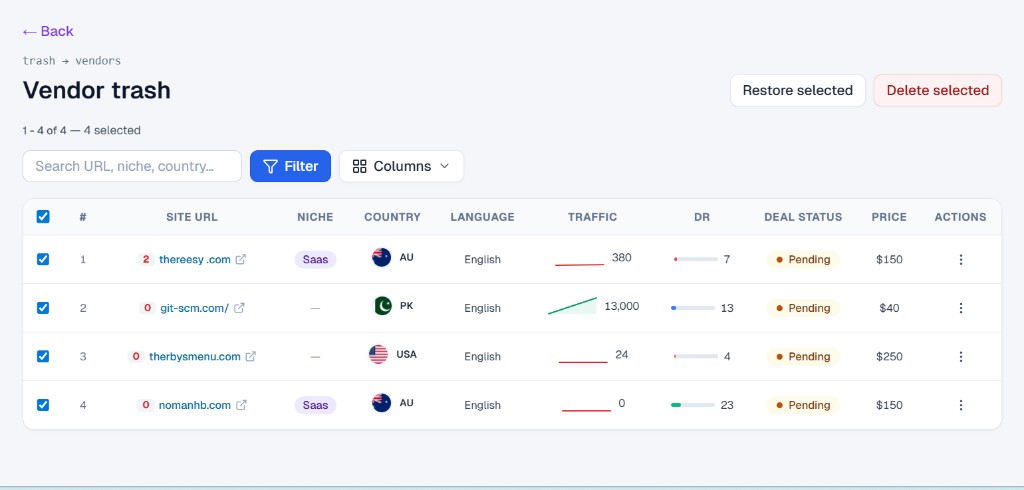
Accidentally deleted something?
LeadGenor automatically moves deleted items to the Trash.
You can restore them anytime within 30 days, ensuring that no important data is permanently lost.
FAQ
Quick answers to common questions.
Who is LeadGenor built for?
LeadGenor is designed for guest posting freelancers, outreach specialists, and agencies managing large outreach databases.
Can I import data from Google Sheets?
Yes. LeadGenor allows you to import outreach lists using CSV files or Google Sheets links.
Does LeadGenor support email personalization?
Yes. You can personalize every email using dynamic variables.
Can I automate follow-up emails?
Yes. LeadGenor allows you to build automated follow-up sequences based on prospect behavior.